


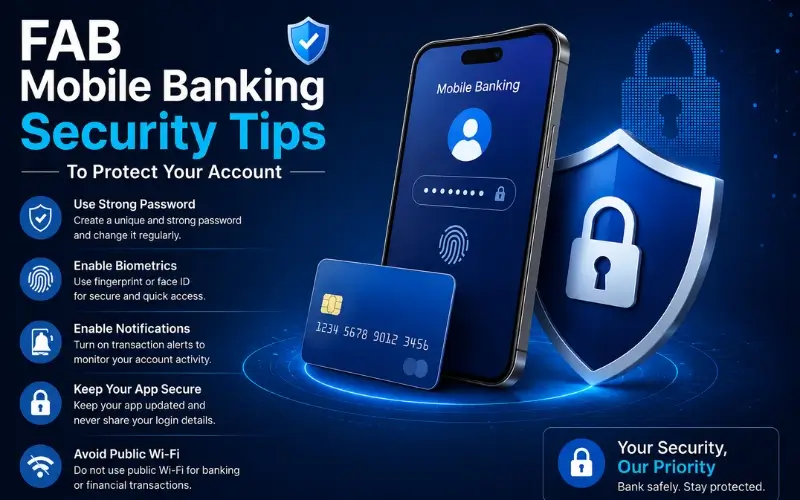
Mobile banking has transformed the way UAE residents manage their finances and First Abu Dhabi Bank’s mobile app puts your entire banking relationship in the palm of your hand. From checking your salary credit and making instant transfers to paying bills and doing a quick FAB balance check before a big purchase, the convenience is undeniable. But that same convenience makes mobile banking a target for fraud, phishing, and unauthorized access. The good news is that protecting your FAB account requires no technical expertise, just consistent habits and an understanding of how modern banking fraud actually works.
It’s an all-inclusive guide to all the security practices recommended by FAB and UAE experts in the field of cyber security in 2026, from how to set up an app to how to maintain good password hygiene, and what to watch for and do in case something goes wrong.
Why FAB Mobile Banking Security Matters More Than Ever in 2026
FAB balance check UAE is one of the world’s most connected countries and financial fraud has followed suit. In recent years, phishing attacks, SIM swap fraud, fake banking apps and social engineering scams targeting UAE bank customers have all become more sophisticated. Mobile banking customers are commonly targeted by fraudsters as their phone can be easily compromised to access transfers, add beneficiaries and make changes to their accounts in seconds.
FAB puts significant effort into the security of their backend: banking grade encryption, real-time fraud monitoring, biometric logon verification, UAE Central Bank KYC compliance and push notification approval for sensitive transactions. However, no back end system can adequately secure an account if the customer’s end of the security chain is not strong. Your habits, password selection, where you download apps, your use of the internet and how you deal with suspicious contacts are the most crucial layer of security you have for your account.
Tip 1: Download the FAB App from Official Sources Only
The first and most basic security rule is the simplest: Download the FAB Mobile App from the official Apple App Store or Google Play Store. Download the official FAB mobile banking app from the Google Play Store for Android and Apple App Store for Apple devices.
Look for “FAB Mobile” in the store and ensure that the developer name listed is that of First Abu Dhabi Bank. The number of reviews and downloads The official app has millions of downloads and thousands of verified reviews. Please do not install any of the FAB app from:
- Third-party APK websites
- SMS, e-mail or WhatsApp links
- QR codes received from untrusted sources
- Any source other than the official app stores.
Fake banking apps are created to mimic the look and feel of the real banking app. They have the ability to record your login details, OTPs and card details the instant you type them in, and later use those details to log into your true account. The version in the App Store has been tested and vetted against this risk only.
Tip 2: Use a Strong, Unique Password for FAB Online Banking
One of the most crucial pieces of security information you handle is your FAB online banking password. FAB’s own security guidelines are specific: password should be alphanumeric, complex and should be at least 10 characters in length. Must be replaced every 90 days.
This is not only a recommendation but a mandatory requirement enforced by FAB’s online banking system. It will remind you to change your password after 90 days.
- How to make a great FAB banking password:
- The longer, the better (at least 10 characters longer)
- Uses a mix of capital and lower case letters, numbers, and at least one special character.
- Nothing with recognizable words, names, dates of birth or Emirates ID number.
Tip 3: Enable Biometric Login
The FAB Mobile App is compatible with Face ID and Fingerprint authentication on compatible devices. Two major security benefits of implementing biometric login versus PIN/password login exist.
First, biometric information is personal and cannot be guessed, stolen from a phishing site or be the result of a data breach as can a password. Second, it is quicker than typing the password each time the application is opened, and reduces the temptation to use the simple, easy-to-type password for convenience.
To set up biometric authentication for the FAB Mobile App, follow these steps: In Security Settings within the FAB Mobile App, select enable Face ID or fingerprints. The app will check your identity by using your existing PIN and then enable the biometric option.
Tip 4: Never Share OTPs, PINs, or Passwords with Anyone
It’s the one thing that is most crucial in UAE banking and is broken by fraudsters most.
FAB staff will never request the entry of any password, One Time Password or PIN for any banking service. If you get a call from FAB, a text or an email or a WhatsApp message from someone claiming to be from FAB that asks you for your OTP, PIN, card number or online banking password, it is fraud – it is always fraud. Do not respond. Avoid giving information. End the call.
Here are some common fraud scenarios you should be aware of:
Phishing Customer Service: Telephone caller purports to be from FAB’s fraud department and indicates that your account has been compromised. They will request that you enter your OTP or card information to confirm your identity. This information will never be requested by someone from the Real FAB. If you get a call like this, please hang up and call FAB directly on the number to report it.
Someone messages you via WhatsApp or via e-mail, pretending to be from FAB, and asks for a photo of your OTP or a copy of your card. Do not share a picture of your banking cards, card numbers or OTPs with anyone, even if they seem convincing.
Tip 5: Avoid Using Mobile Banking on Public Wi-Fi
Sharing a WiFi signal in a public area – like a coffee shop, airport, malls, and hotels – is inherently insecure. Do not use mobile banking on public wi-fi or hotspot networks.
In what is known as a man-in-the-middle attack, a savvy attacker is able to steal data as it passes between your phone and the Internet on a non-secured public network. FAB encrypts all app and online banking communications; further protection from your end decreases your risk of error.
Tip 6: Keep Your Device Software Updated
Android and iOS operating systems have been found to be vulnerable to threats repeatedly and manufacturers have been issuing patches to fix the vulnerabilities by using system updates. An outdated operating system puts your device at risk of vulnerabilities that fraudsters can exploit.
Install the latest security fixes on your computer for your operating system, browser and email program. The same goes for your smartphone. Set up automatic updates of your device to ensure security patches are applied as they are released.
Tip 7: Set Up and Monitor Transaction Alerts
The best way to identify unauthorized activity in an account is to be alerted the instant something occurs in your account without you needing to take action.
With FAB, customers can have real-time SMS and push notification alerts for:
- The notification is sent to you immediately, whenever money goes out of your account, whether it be for a debit transaction, or for any reason.
- All credit transaction salaries, transfers and payments credited.
- Failed login attempts notified if someone unsuccessfully tries to log into your account
- New payments any time that a new payment is made to your account
- Large transactions (if an amount is reached)
Tip 8: Lock Your Account Immediately If Anything Seems Wrong
The FAB Mobile App allows you to freeze your card and account instantly without calling anyone or waiting on hold. This capability is your most powerful immediate response to suspected fraud.
If you notice:
- A transaction you do not recognize
- An alert for a login you did not initiate
- Your card declining unexpectedly
- Any suspicious activity on your account
Take these steps immediately:
- Open the FAB Mobile App and navigate to your card or account settings
- Select “Block Card” or “Freeze Account” to immediately prevent any further transactions
- Please contact FAB contact centre immediately if your credit card is lost or stolen
The online banking account will be locked out after 3 unsuccessful login attempts. If your account is locked due to failed login attempts, call FAB customer care for identity verification and account restoration.
Do not attempt to access your account through unofficial channels, third-party apps, or unfamiliar websites while investigating a security concern; these could be part of the fraud attempt itself.
Tip 9: Protect Your Physical Cards
Digital security extends to the physical cards linked to your FAB account. A stolen or compromised physical card gives fraudsters a direct path to unauthorized transactions.
Physical card security practices:
- Never share your card number, CVV (the three-digit code on the back), or expiry date through phone calls, SMS, or email
- Cover the PIN pad with your other hand when entering your PIN at ATMs or payment terminals
- Inspect ATMs for signs of tampering before inserting your card skimming devices are sometimes attached to ATM card slots and look nearly identical to legitimate card readers
- Carry your cards in a shielded wallet or card holder that blocks RFID signals this prevents contactless card data from being read by unauthorized scanners
- Immediately report a lost or stolen card to FAB at 600 52 5500 and use the FAB app to block it while you call
Change your PIN immediately if you suspect it has been compromised. This can be done at any FAB ATM or through the FAB Mobile App.
Tip 10: Use Secure Access for FAB Online Banking
When accessing FAB Online Banking through a browser rather than the app, additional precautions apply.
Always access your net banking through the official FAB website. Verify the authenticity of the net banking webpage by checking its URL and the padlock symbol in your browser’s address bar this confirms you are on a secure, encrypted connection.
Secure browser banking practices:
- Type the FAB website URL directly into your browser never click on a link in an email or SMS claiming to be from FAB
- Confirm the padlock icon and correct domain before entering any credentials
- Do not save your FAB username or password in your browser’s autocomplete if your device is accessed by someone else, saved credentials can be used immediately
- Always log out completely after finishing a banking session, particularly on shared or public computers
- Do not use the same password for FAB online banking that you use on other internet sites
If you access FAB online banking on a work computer or any device you share with others, always use a private or incognito browsing window and clear the browsing history after your session.
Tip 11: Be Vigilant About Suspicious Contacts Claiming to Be FAB
Phishing the practice of impersonating a trusted institution to steal credentials is the most common banking fraud method targeting UAE customers. Do not respond to unsolicited SMS or calls that request personal information such as your banking card number, ATM PIN, online or telephone banking passwords, or credit card numbers.
Red flags that indicate a fraudulent contact:
- Any unsolicited communication asking for your OTP, PIN, password, or card details
- Urgency language “your account will be suspended in 24 hours unless you verify now”
- Links in SMS messages directing you to a website to enter your banking credentials
- Requests to download a remote access app so that “FAB support” can fix a problem on your device
- Callers who already have some of your personal information (name, partial account number) and use it to appear legitimate this is common in social engineering attacks
- SMS messages with numbers that look similar to official FAB numbers but have slight variations
When in doubt about any communication claiming to be from FAB, hang up or ignore the message and call FAB directly using the number you have saved independently, not a number provided in the suspicious message.
Tip 12: Secure Your UAE Mobile Number
Your registered UAE mobile number is critical to FAB account security. It is the primary channel for receiving OTPs, transaction alerts, and login verification codes. If someone gains control of your phone number through a SIM swap fraud they can intercept OTPs and potentially take over your account.
Protecting your SIM:
- Set a SIM PIN through your device settings this prevents unauthorized SIM removal and use
- Contact your UAE mobile operator to add extra security to your account, such as requiring in-store identity verification for any SIM swap request
- If you lose your phone or suspect your SIM has been swapped without your authorisation, immediately call your mobile operator and then FAB customer care
- Keep your registered mobile number updated in your FAB account if you change your UAE number, update it in the FAB app or through a branch visit before the old number is deactivated
FAB Security Contacts
If you suspect your account has been compromised, act immediately through these official channels:
- Report fraud online: Through the official FAB website security reporting page
- Freeze your card/account instantly: FAB Mobile App → Card Settings → Block Card
Quick Security Checklist
Review this checklist to confirm your FAB mobile banking account is properly secured:
- FAB app downloaded exclusively from Apple App Store or Google Play Store
- Biometric login (Face ID or fingerprint) enabled on the FAB app
- Strong, unique password of at least 10 alphanumeric characters set for online banking
- Password changed within the last 90 days
- OTPs and PINs never shared with anyone under any circumstances
- Transaction alerts enabled for all debit and credit activity
- Mobile banking only accessed on personal, secure Wi-Fi or mobile data not public networks
- Device operating system and FAB app kept updated to the latest versions
- SIM PIN enabled on your registered UAE mobile number
- FAB customer care number to saved in your contacts
- Card block feature location confirmed in FAB app for immediate use if needed
Final Thoughts
Your FAB mobile banking account is protected by one of the most sophisticated banking security infrastructures in the UAE but that protection has limits at the point where technology meets human behavior. The strongest encryption in the world cannot protect an account if the customer shares their OTP with a convincing fraudster or downloads the app from an unofficial source.
The security practices in this guide are not complicated, but they do require consistency. Download from official sources, use a strong unique password, enable biometrics, never share OTPs, stay off public Wi-Fi, monitor your alerts, and know exactly how to freeze your account in seconds if something seems wrong.
Read Also:
